Match every camera angle in one click.
Auto Color Match makes the different camera angles of a multicam scene look the same — and look natural — by measuring each angle objectively and writing one correction per angle. Then apply a single creative look to the whole cut.
Free for the 2-camera match · 30-day Pro trial · no account.
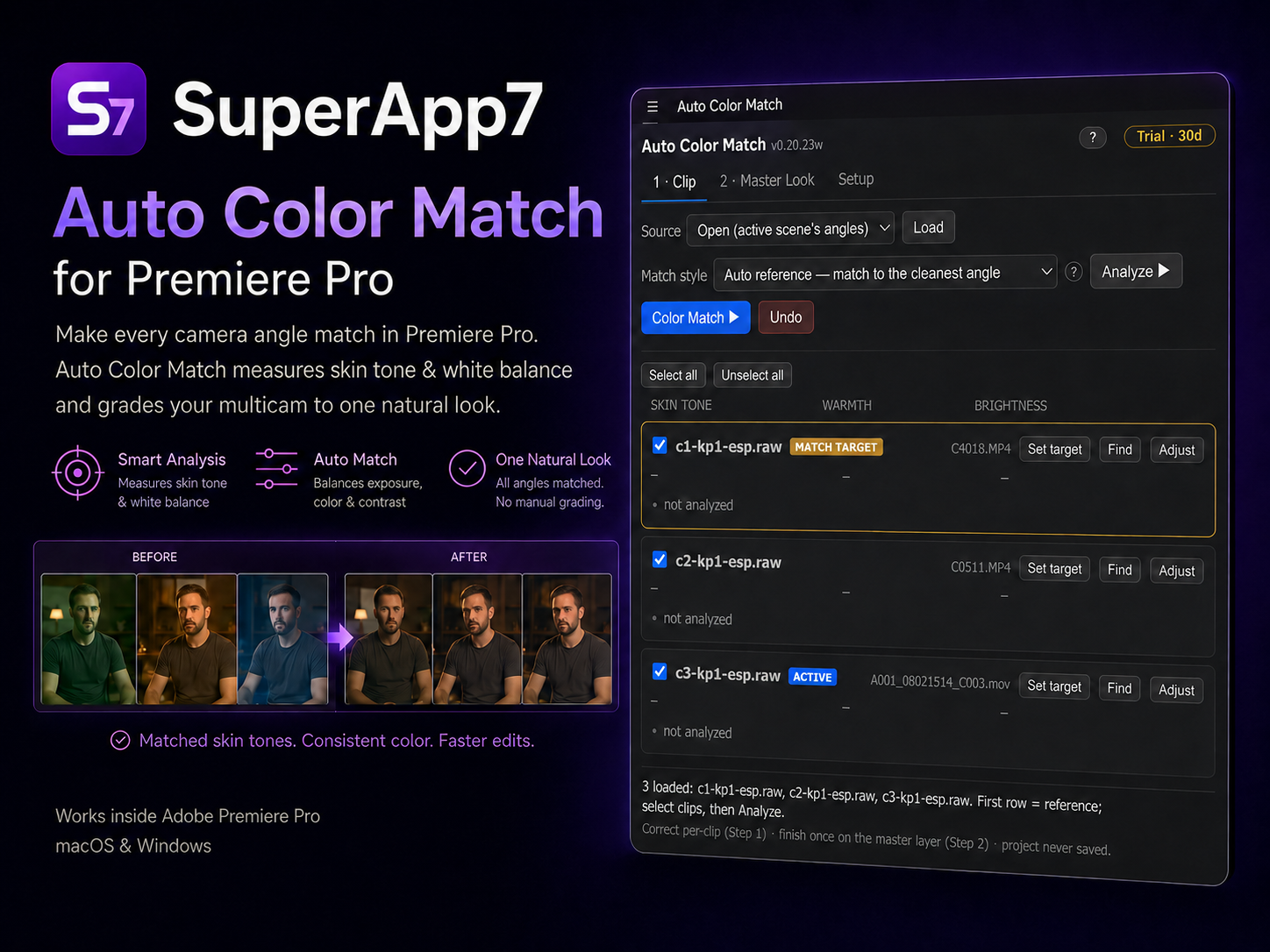
The problem
Cut multicam together and the picture jumps.
Every camera renders color and exposure differently — a cinema body, a second camera, a phone. Matching them by hand in Lumetri is slow, subjective and hard to keep consistent. Auto Color Match turns 10–20 minutes of eyeball work per scene into a measured, one-click operation.
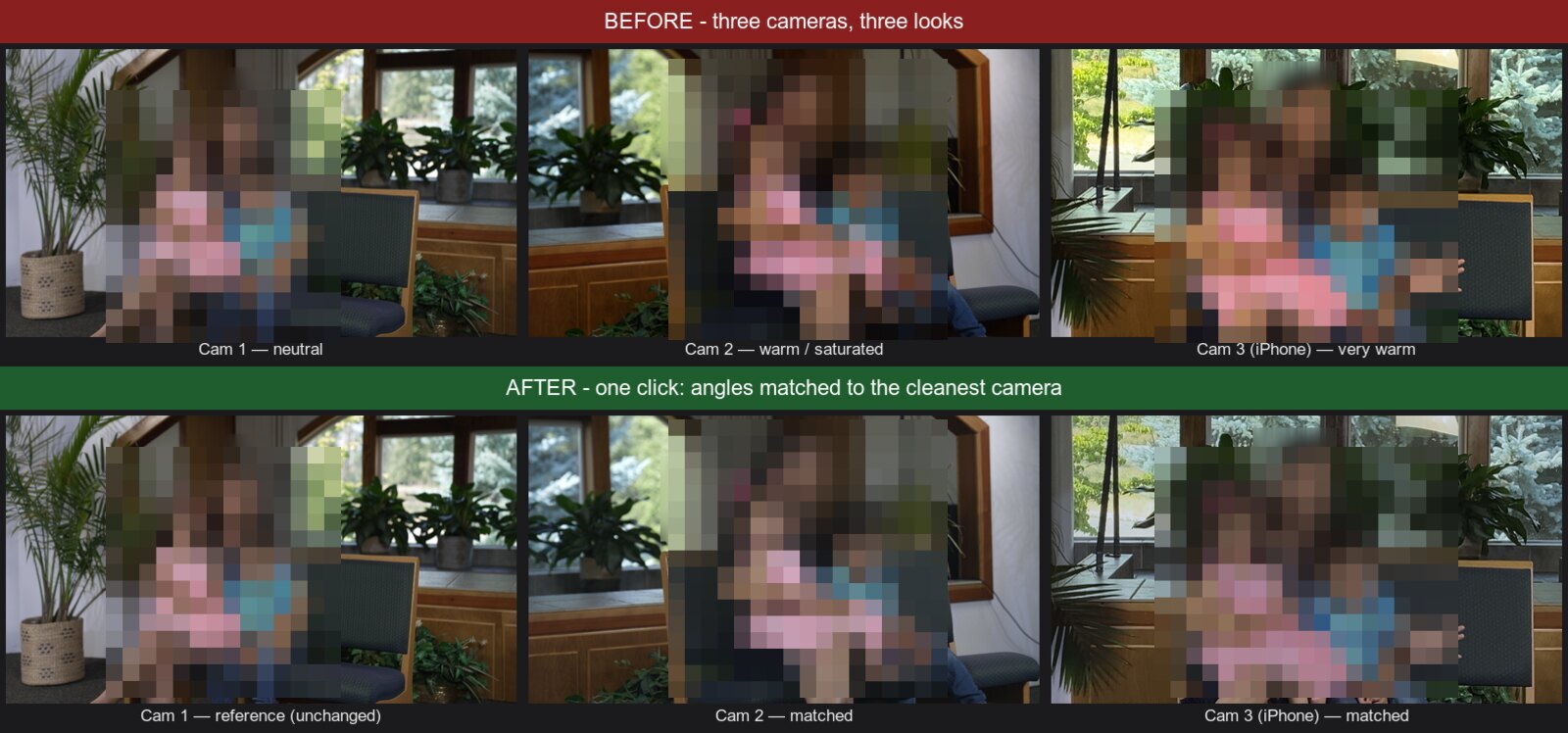
How it works
Three steps, mostly one click.
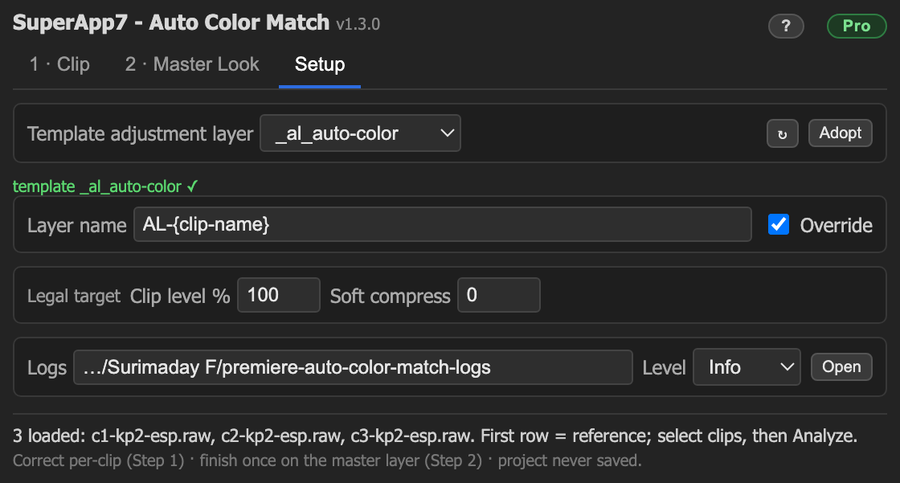
Setup, once
Adopt an adjustment layer as the template. That is the entire configuration — you rarely touch it again.
Match the angles
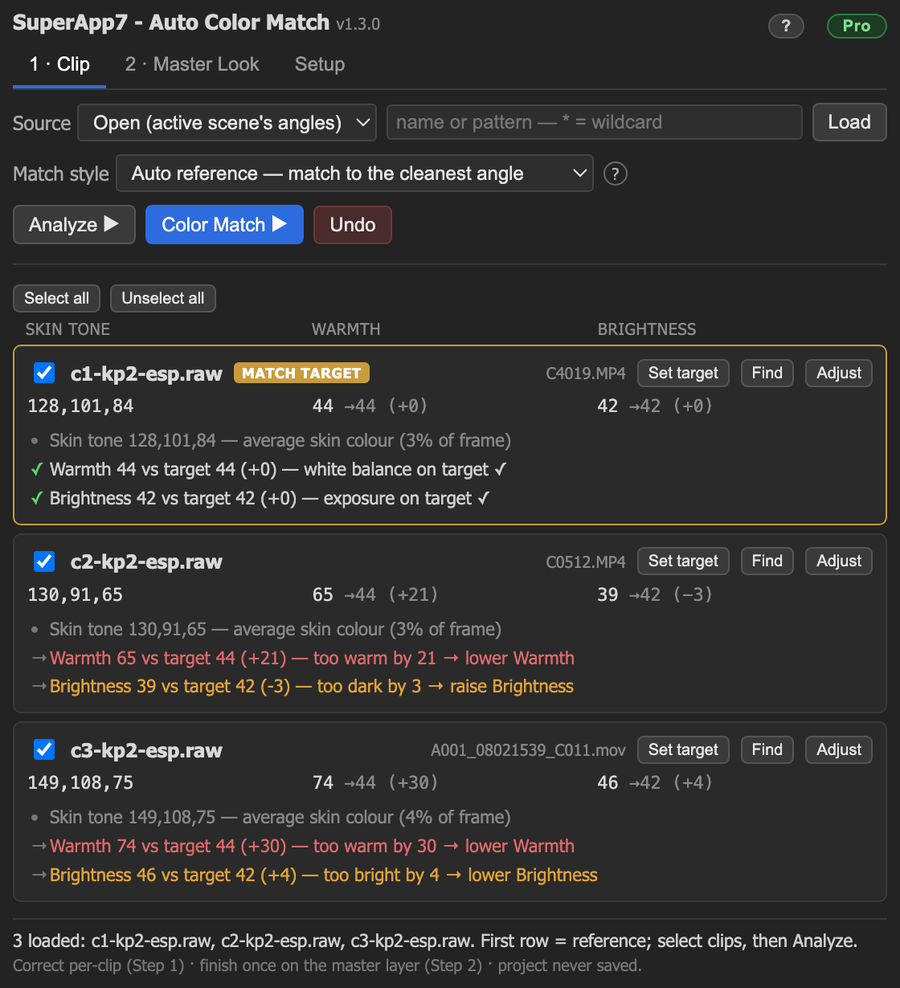
Load your camera angles and Analyze. The panel measures skin tone, warmth and brightness and shows each as a number with a plain-English direction. One click matches every angle to the cleanest camera.
Grade once
Apply a single creative look — warm, high-key, cool, moody — to the whole finished cut, kept broadcast-legal.
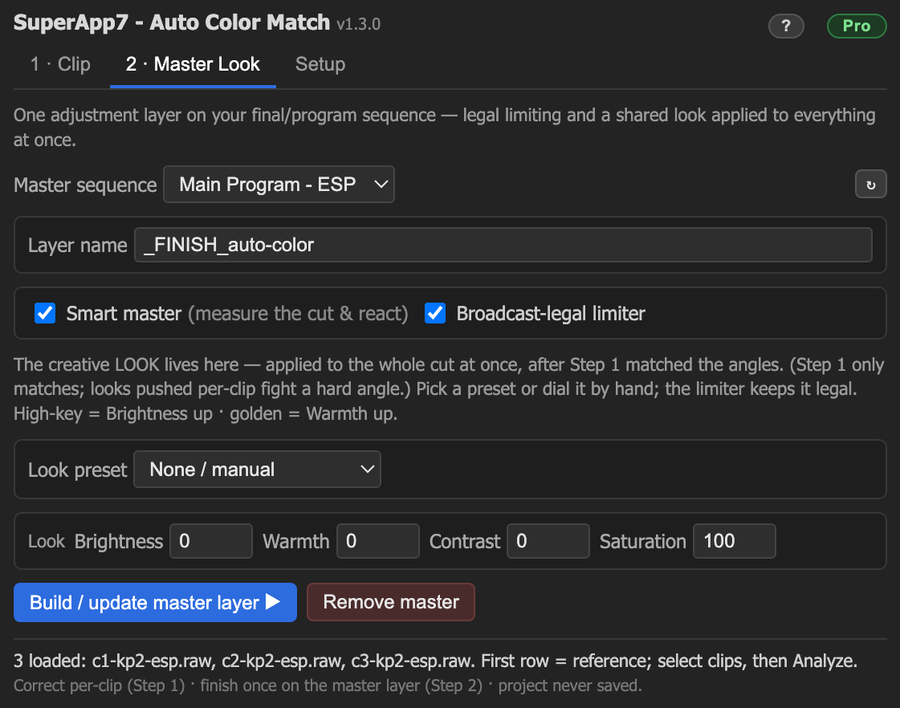
Want the full walkthrough — every tab, control and measurement explained with screenshots?
Read the full User Guide →Why it's different
Measured, safe, and yours.
Objective, not eyeballed
Every decision is a number, a target and a direction ("too warm by 21 → lower Warmth") — repeatable, and usable by colorblind editors.
Non-destructive
The panel never saves your project. Corrections are standard editable effects on adjustment layers, and Undo restores everything.
Local & private
All color work runs on your machine — no telemetry, no footage ever leaves it. The only online moment is a brief license check when you unlock or renew Pro.
Pricing
Free for the classic case. Pro for scale.
The 2-camera match is fully free. Pro unlocks 3+ angles, more reference modes, and the Smart Master finish — perpetual per major version, commercial, up to 5 machines.
| Feature | Free$0 | Pro$79 one-time |
|---|---|---|
| Match 2 cameras (auto reference) | ✓ | ✓ |
| All load modes (Open / Selected / Filter) | ✓ | ✓ |
| Master Look presets + broadcast-legal limiter | ✓ | ✓ |
| Match 3+ cameras at once | — | ✓ |
| Marked & Group-average reference | — | ✓ |
| Smart Master (measure the cut & auto-grade) | — | ✓ |
| Commercial use, up to 5 machines | — | ✓ |
$79 one-time — perpetual for its major version, commercial use, up to 5 machines.
Application
Premiere Pro 2020–2026 (14.0–26.x)
Operating system
macOS & Windows — identical behavior
External tools
None — no ffmpeg, no Python. Internet only for Pro license activation.
FAQ
Common questions
How do I install it? +
Download the signed .zxp from the download page and follow the two-minute macOS or Windows steps there, then open Window → Extensions → SuperApp7 - Auto Color Match in Premiere Pro.
Does it work offline? +
Yes — all color matching runs offline inside Premiere, with no telemetry. Unlocking or renewing Pro does a one-time online license check (using one of your machine seats); after that Pro keeps working offline and only re-verifies periodically, with about a two-week grace window.
What does a Pro license cover? +
Perpetual for its major version (free updates within that major), commercial use, and up to 5 machines. You get a license key by email from our checkout (Dodo Payments) — no account to create in the plugin.
Which Premiere versions are supported? +
Adobe Premiere Pro 2020 through 2026 (host 14.0–26.x), identical on macOS and Windows.
Still stuck? Email support.